

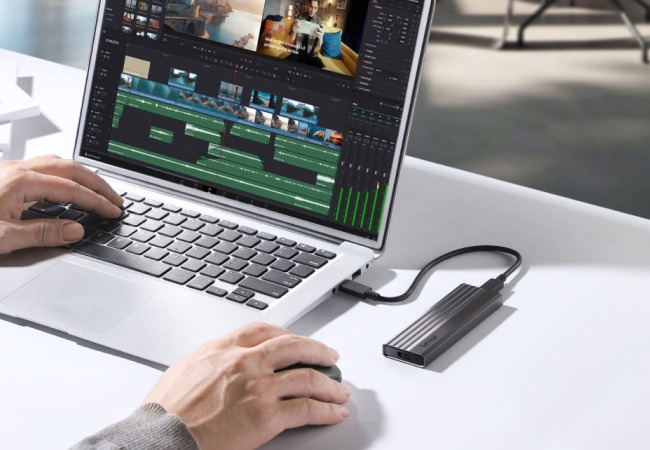
Is your laptop taking too long to start?
Does it hang when you open a browser or try to work on a simple file?
A slow system can be frustrating, mainly when you rely on it every day for study, work, or browsing. Many people think the only solution is to buy a new laptop or pay for software. But that’s not true.
You can speed up a slow laptop using simple, free steps that are already built into your system. In this guide, you’ll learn how to speed up a slow laptop without spending money, using safe and practical methods that actually work.
Why Your Laptop Becomes Slow Over Time
Before trying to speed up a slow laptop, it’s essential to understand why laptops slow down in the first place.
Over time, more apps get installed. Many of them start running automatically in the background. Storage space slowly fills up with temporary files and unused downloads. At the same time, system settings focus more on visuals than performance. All these small issues combine and make your system feel heavy and unresponsive.
When this happens, even simple tasks feel slow. But the good thing is, you can make your laptop faster by fixing these problems one by one.
What Results Should You Expect?
Let’s be honest.
These methods will not magically turn an old laptop into a high-end machine. However, they will improve laptop performance for everyday activities like browsing, online classes, office work, and watching videos.
If your goal is smoother speed and fewer lags, these steps are more than enough to speed up a slow laptop in a safe and reliable way.
Disable Startup Programs for Faster Boot Time
One of the most effective ways to speed up a slow laptop is by controlling what runs when your system starts.
Many applications automatically launch during startup, even if you rarely use them. These apps consume memory and processing power before you even begin working. As a result, your laptop takes longer to boot and feels slow from the start.
By disabling unnecessary startup programs, you can reduce load on your system. This simple change can instantly make your laptop faster, especially during startup and multitasking.
Free Up Storage to Improve Performance
Low storage is another major reason laptops slow down. When your system has very little free space, it struggles to manage files and processes efficiently.
To speed up a slow laptop, you should regularly clean unnecessary files. Temporary files, cached data, old downloads, and items sitting in the recycle bin often take up a lot of space without adding any value. Removing them does not harm your system and can noticeably improve speed.
This is one of the safest and most effective ways to apply a slow laptop fix without using any external tools.
Reduce Background Activity for Better Speed
Even when you’re not actively using many apps, several programs continue running in the background. These background processes quietly consume RAM and CPU power, making your laptop feel slow and unresponsive.
To speed up a slow laptop, it’s important to close apps you don’t need and regularly restart your system. When you reduce unnecessary background activity, your laptop can focus its resources on the tasks that matter. This directly helps improve laptop performance, especially when switching between apps.
Adjust Visual Effects to Increase Laptop Speed
Modern operating systems use animations, shadows, and visual effects to look attractive. While these features look nice, they require extra system resources.
If your laptop is already slow, these effects can make things worse. By reducing or disabling unnecessary animations, you allow your system to prioritize performance over appearance. This is a simple yet powerful way to increase laptop speed without affecting functionality.
Your system may look simpler, but it will feel much faster and smoother.
Keep Your System Updated for Stable Performance
Many users ignore system updates, thinking they are unnecessary. In reality, updates often include performance improvements, bug fixes, and security patches.
To speed up a slow laptop, always keep your operating system updated. Updated systems run more efficiently and are less likely to face slowdowns caused by bugs or outdated components. Regular updates also help make your laptop faster and more secure over time.
Common Habits That Slow Down Your Laptop
Some habits unknowingly make laptops slower. Installing so-called “speed booster” apps often does more harm than good. Ignoring storage warnings, never restarting the system, and running too many browser extensions also reduce performance.
Avoiding these mistakes is an important part of any slow laptop fix. A clean and well-managed system always performs better.
Quick Summary to Speed Things Up
If you want to increase laptop speed, focus on the basics. Control startup programs, free up storage, limit background apps, reduce visual effects, and keep your system updated. Even small changes, when done together, can greatly enhance overall performance.
Final Thoughts
You don’t need money to fix performance issues. With the right approach, you can speed up a slow laptop and extend its usable life.
These methods are practical, tested, and safe. They focus on real problems instead of fake promises. If your laptop feels slow today, start applying these steps now. You’ll notice smoother performance without spending a single rupee.
Conclusion: Speed Up Your Slow Laptop the Smart Way
A slow system doesn’t always mean you need a new laptop. In most cases, the problem is not the hardware, but how the system is being used. With the right steps, you can speed up a slow laptop and make it work smoothly again without spending any money.
The methods shared in this guide are simple, safe, and based on real experience. Disabling unnecessary startup apps, freeing storage, reducing background activity, and adjusting system settings can make your laptop faster than you expect. These are not shortcuts or tricks. They are proven ways to improve laptop performance using built-in features.
If your laptop feels slow today, start with one step and move forward. Small changes create big results. Follow this guide regularly, and you’ll be able to speed up a slow laptop and extend its life for daily work, study, and browsing—without any extra cost.
Frequently Asked Questions (FAQs)
Can I really speed up a slow laptop without spending money?
Yes, you absolutely can. Most laptops become slow due to software issues, not hardware failure. Too many startup apps, low storage, and background processes are common causes. By fixing these issues, you can speed up a slow laptop without buying new parts or paid tools. These free steps are often enough to make your laptop faster for everyday use.
How long does it take to see results after applying these tips?
In many cases, the results are immediate. Disabling startup programs and clearing storage can instantly improve laptop performance. Other steps, like updates and background cleanup, show results within a day or two of regular use. If followed correctly, these methods consistently help increase laptop speed.
Will these steps damage my laptop or delete important files?
No. The methods explained here are safe and use built-in system settings. You are not asked to install risky software or delete important data. When done carefully, these steps act as a reliable slow laptop fix and help your system run more smoothly without harm.
How often should I clean and optimize my laptop?
To speed up a slow laptop long term, basic maintenance should be done once every month. Storage cleanup, background app checks, and system restarts keep performance stable. Regular care ensures you continue to make your laptop faster over time.
Is restarting the laptop really important for performance?
Yes, restarting is very important. Many background processes keep running for days if the system is never restarted. A simple restart clears memory and refreshes system processes. This small habit can noticeably improve laptop performance and reduce lag.
Should I install third-party apps to increase laptop speed?
In most cases, no. Many third-party “speed booster” apps actually slow systems down. Built-in system tools are enough to increase laptop speed safely. Avoid unnecessary software if your goal is a genuine slow laptop fix.






Leave a Reply